

Smart Speaker Integration Tutorial
Smart speaker integration is implemented through the Bemfa cloud integration: sync devices from Home Assistant to Bemfa, then connect a smart speaker such as XiaoAI to the Bemfa platform, so you can voice-control devices in HA. This article uses XiaoAI (Mi Home) as an example to walk through the full configuration.
Version Information
Section titled “Version Information”| Item | OS | Core | Bemfa |
|---|---|---|---|
| Version | 17.0 | 2026.2.1 | 1.4.0 |
Prerequisites
Section titled “Prerequisites”Before you start, make sure:
- Home Assistant is running normally and you can access its admin interface.
- You have registered a Bemfa account (Bemfa official site).
- You are logged in to the smart speaker’s companion app (e.g. Mi Home), and the devices you want to control are working normally in HA.
Note: If your Core version is ≥ 2025.3.0, you must first fix the Bemfa integration as described in “Step 1” before it will work.
Configuration Steps
Section titled “Configuration Steps”Step 1: (Core ≥ 2025.3.0) Fix the Bemfa Integration
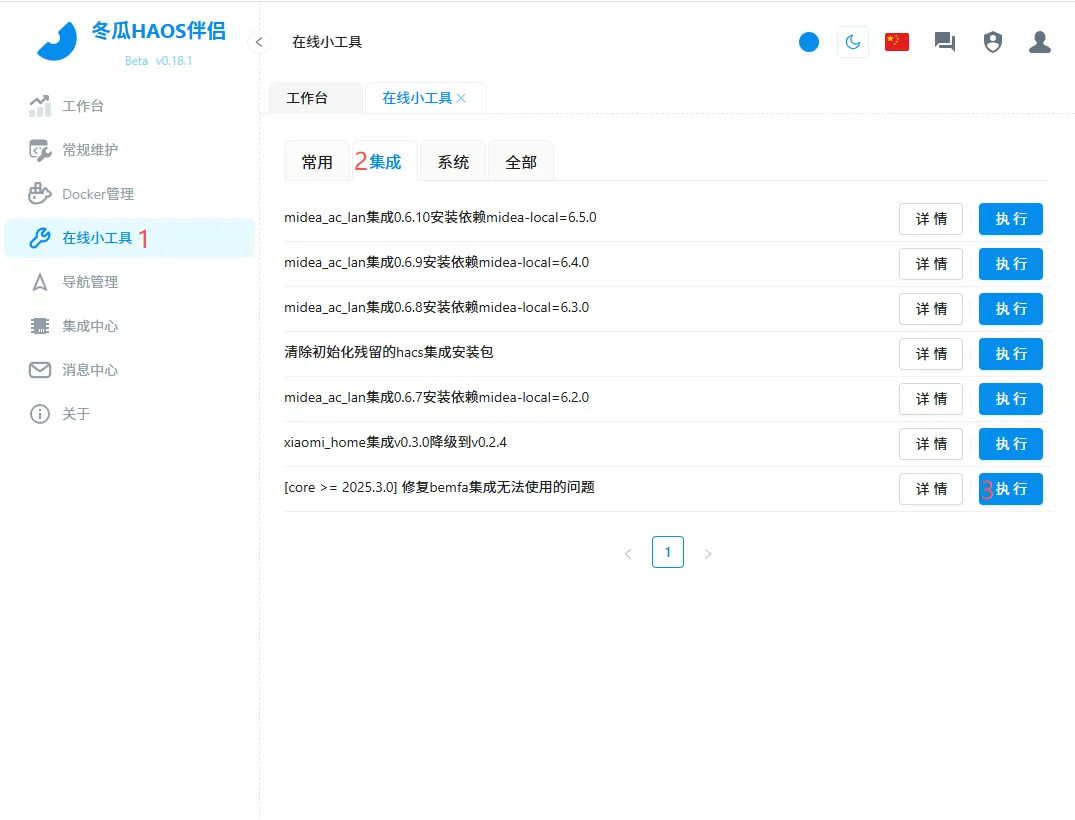
Section titled “Step 1: (Core ≥ 2025.3.0) Fix the Bemfa Integration”Go to Donggua HAOS Companion > Online Tools > Integrations > “[core >= 2025.3.0] Fix the issue where the bemfa integration cannot be used” > Run > Run > Restart.
The fix only takes effect after a restart.
Step 2: Register on Bemfa and Copy Your Private Key
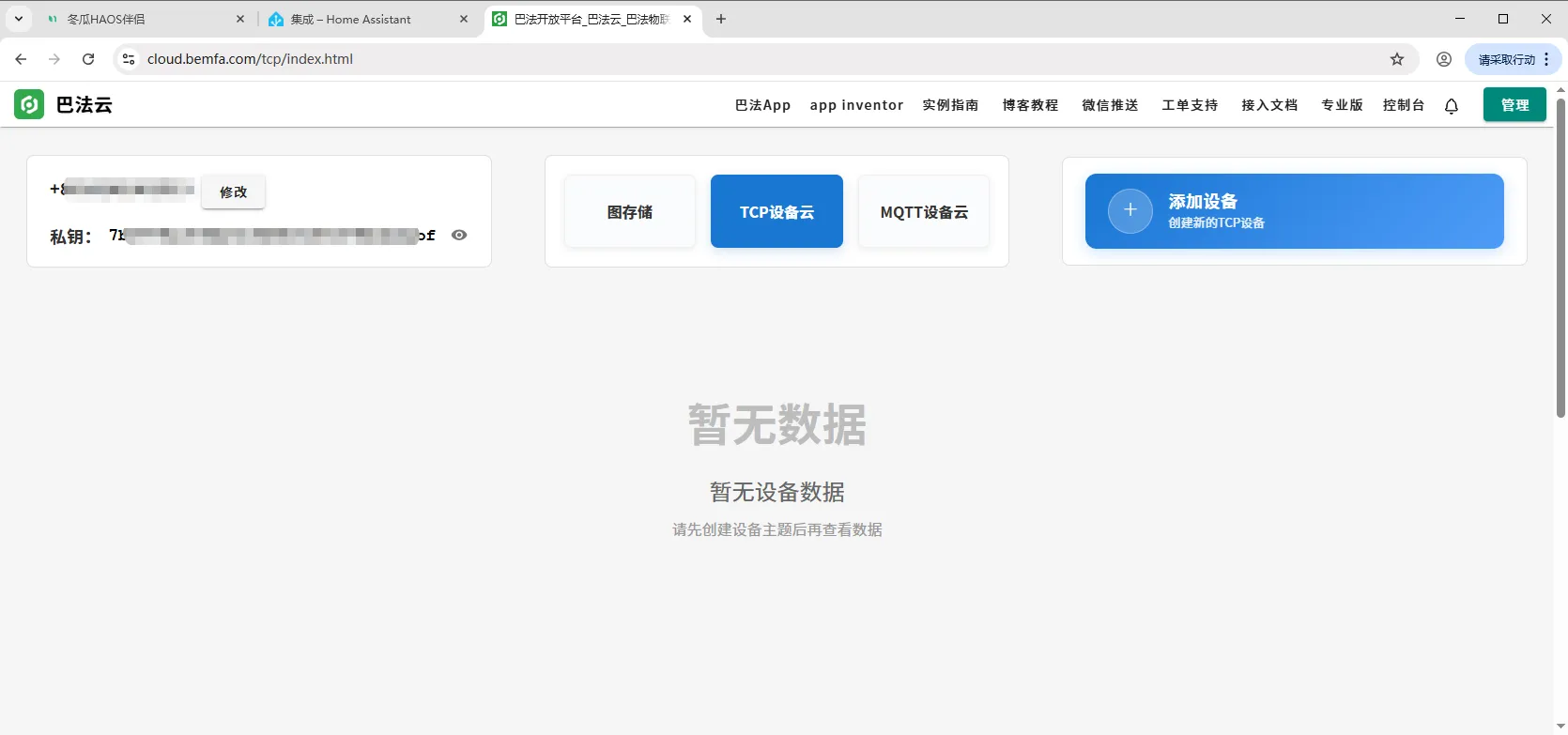
Section titled “Step 2: Register on Bemfa and Copy Your Private Key”Open the Bemfa official website, register an account, and copy the private key in the top-left corner.
Step 3: Add the Bemfa Integration in HA
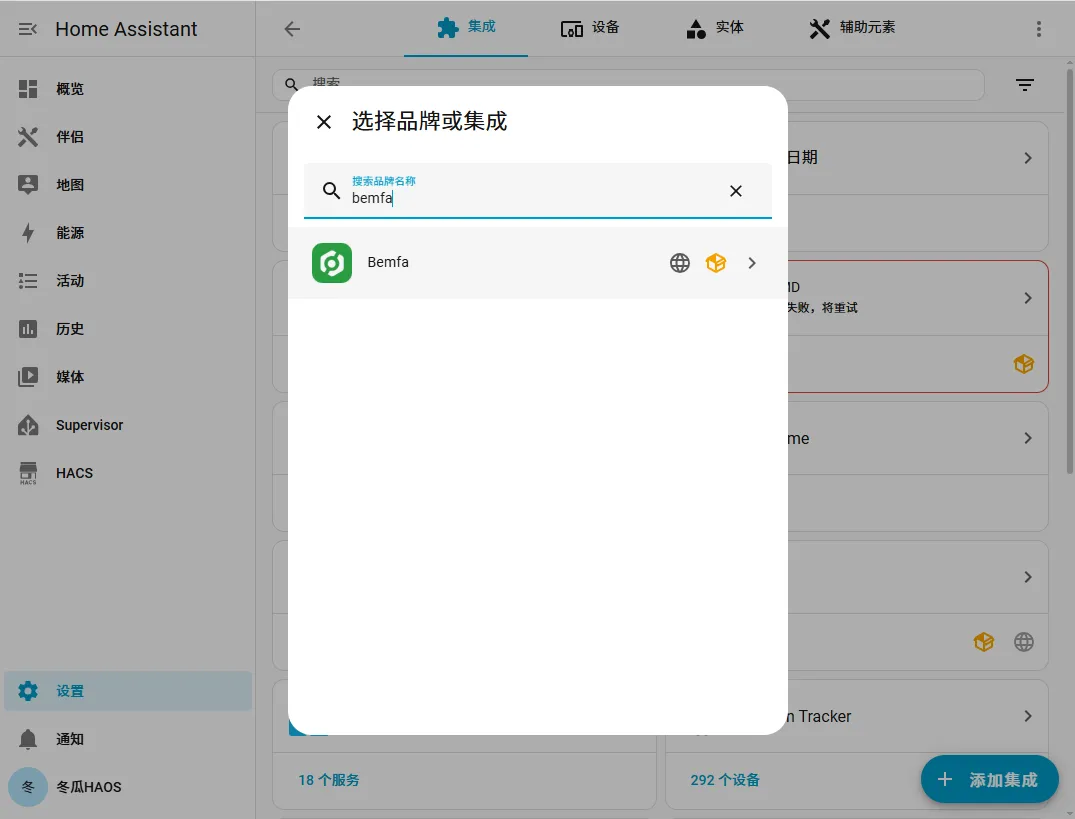
Section titled “Step 3: Add the Bemfa Integration in HA”Back in HA, go to Settings > Devices & Services > Integrations > Add Integration and search for bemfa.
Step 4: Enter the Private Key and Submit
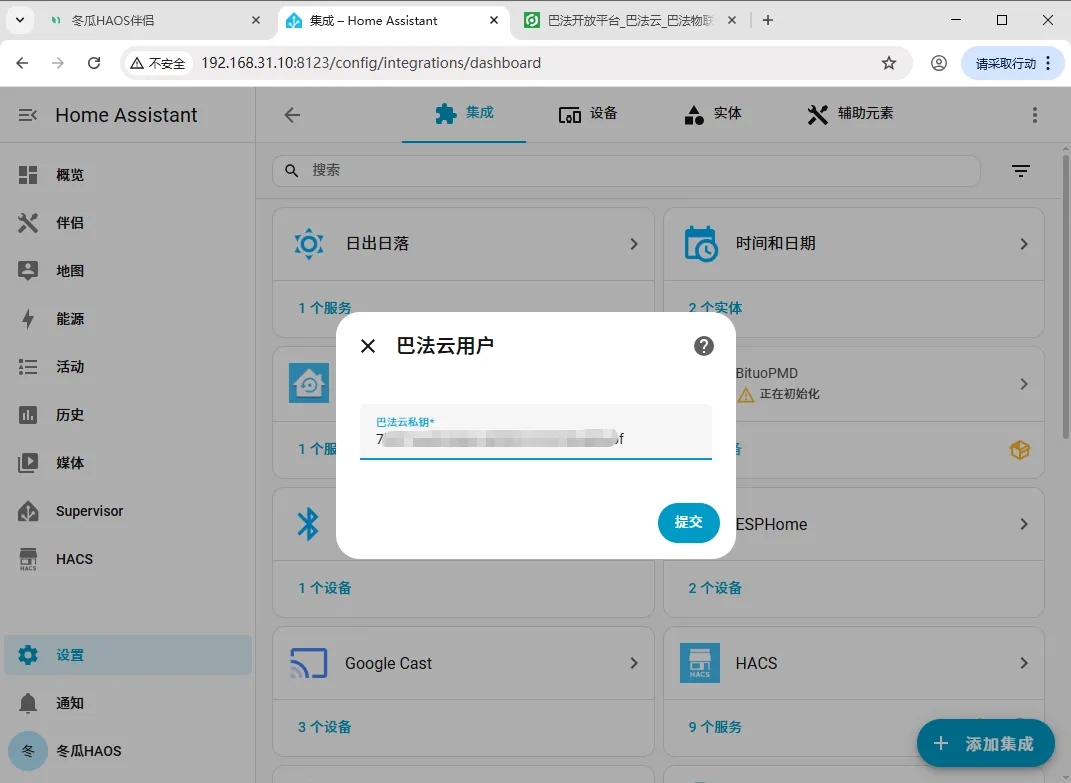
Section titled “Step 4: Enter the Private Key and Submit”Paste the Bemfa private key, click Submit, then Finish.
Step 5: Open the Bemfa Settings and Choose “Sync Entities”
Section titled “Step 5: Open the Bemfa Settings and Choose “Sync Entities””Find and open Bemfa, click the gear icon ⚙, and choose Sync Entities.
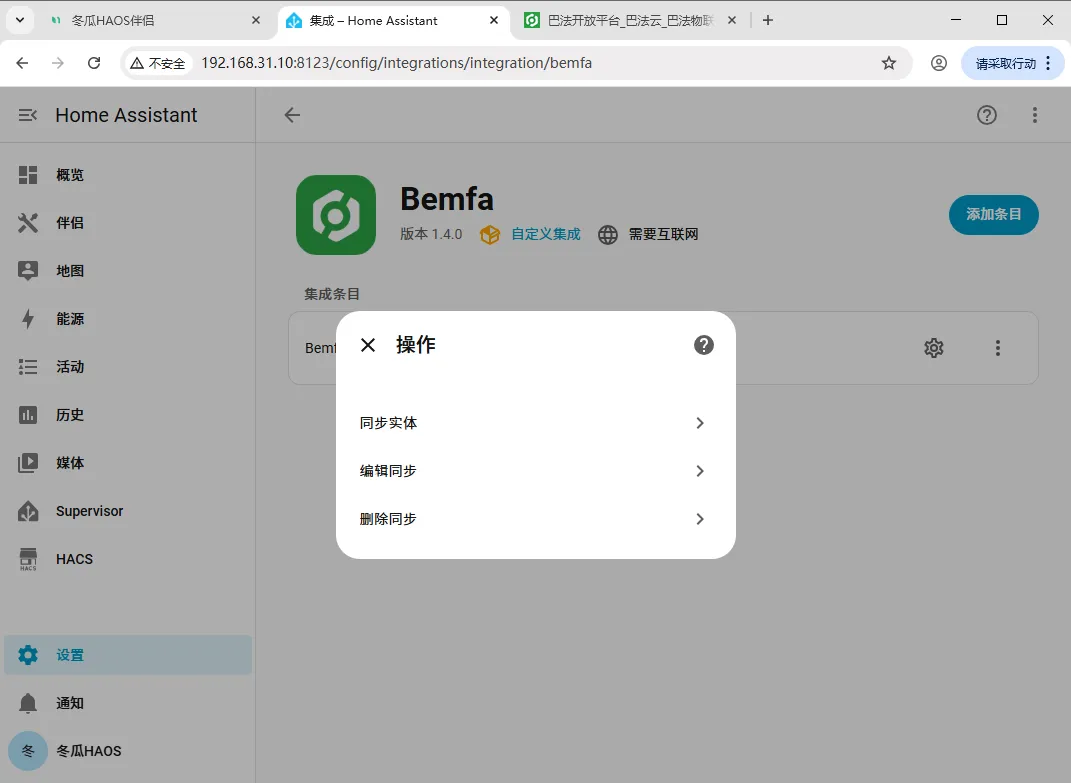
Step 6: Select the Devices to Sync
Section titled “Step 6: Select the Devices to Sync”Find the devices you want to sync — you can also use search (Ctrl + F) to locate them quickly. Select a device and click Next.
Bemfa does not support multi-select, and you should only sync the entities you actually need!
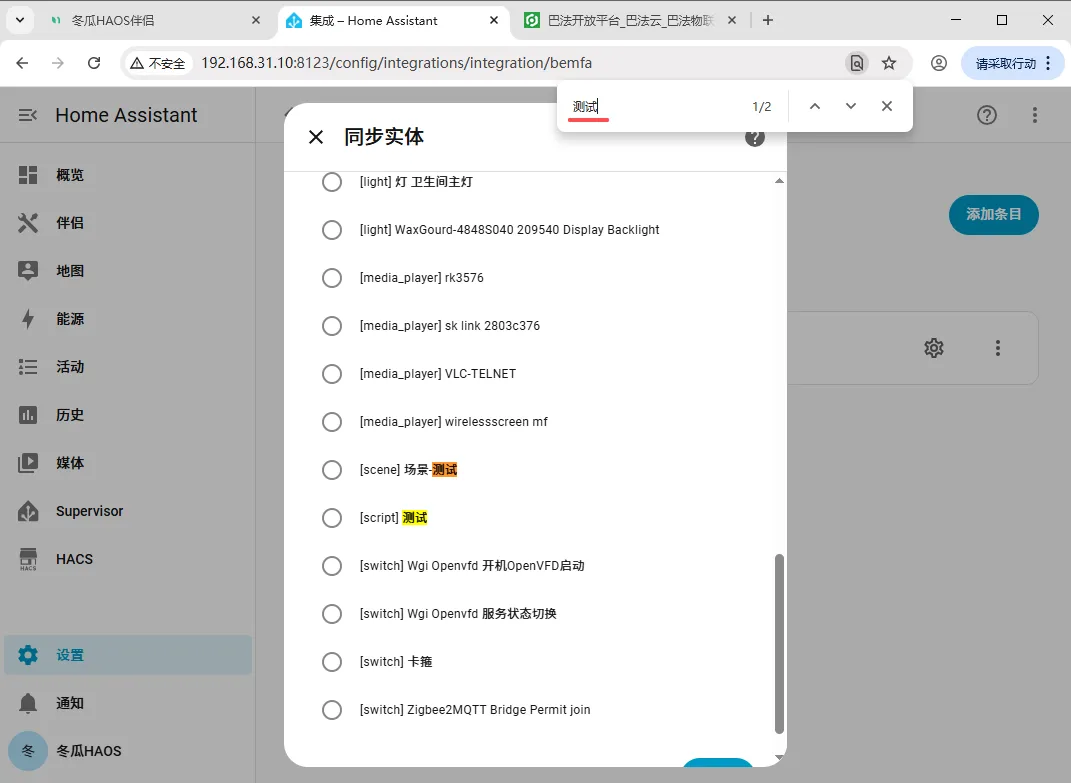
Step 7: Customize the Device Name
Section titled “Step 7: Customize the Device Name”The custom name is the keyword you say after waking the smart speaker to trigger a specific action. When you have finished editing, click Submit and then Finish.
If you want to change this name later, you can do so under Edit Sync.
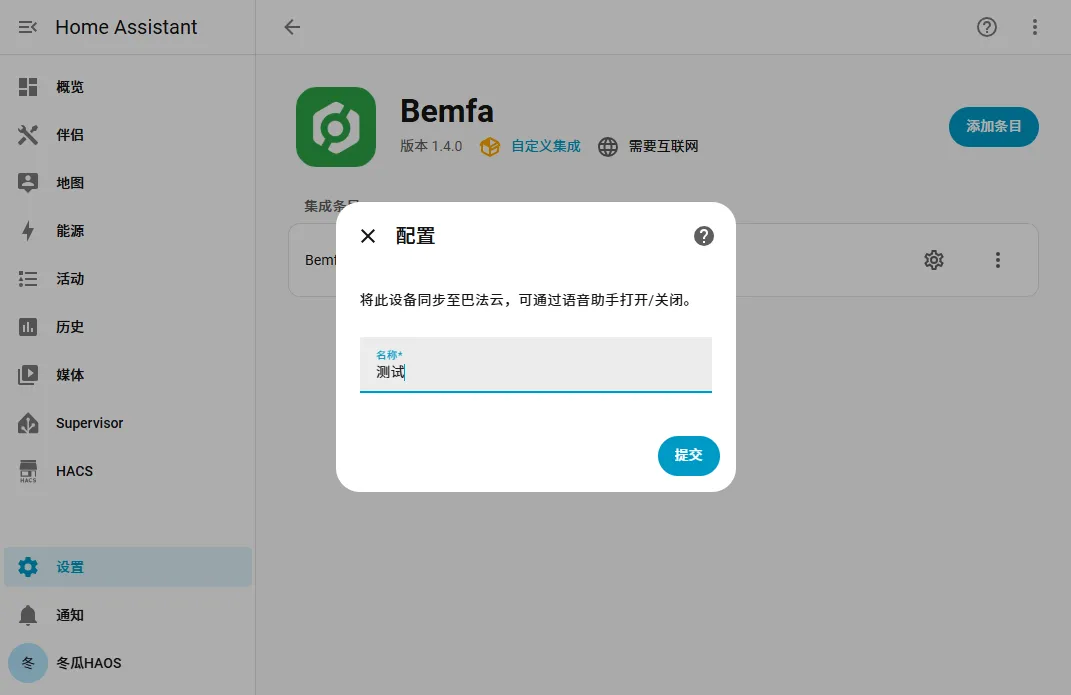
Step 8: Bind the Bemfa Platform in the Mi Home App and Sync Devices
Section titled “Step 8: Bind the Bemfa Platform in the Mi Home App and Sync Devices”Open the Mi Home app and go to Profile > Add other platforms > Add > search for “Bemfa” > Link account > Agree, enter your Bemfa account and password, then tap Sync devices to refresh the entities.
If XiaoAI does not recognize a device you added to HA later, come back here and tap Sync devices again!!!
Supported Entity Types
Section titled “Supported Entity Types”Bemfa currently only supports a subset of features officially; see the official project page for details.
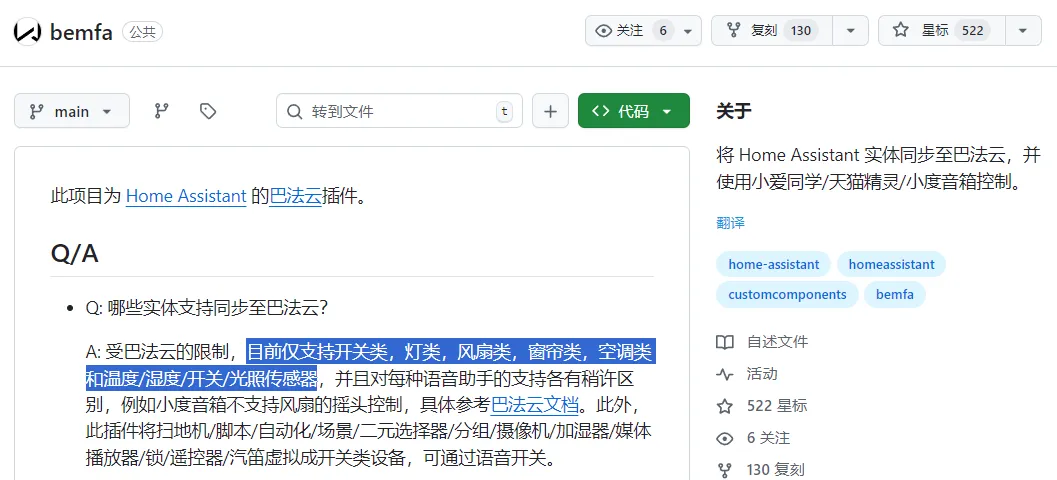
| Problem | Solution |
|---|---|
| The Bemfa integration does not work | If your Core version is ≥ 2025.3.0, first run the fix script in “Donggua HAOS Companion > Online Tools” as described in Step 1, then restart for it to take effect. |
| Cannot multi-select when syncing entities | Bemfa does not support multi-select, and you should only sync the entities you need — add them one by one. |
| XiaoAI does not recognize a new device | On the Bemfa platform page in the Mi Home app, tap “Sync devices” again to refresh the entities. |
| Voice control has no effect | Check that the custom name is clear and easy to pronounce; you can rename it under “Edit Sync” and try again. |
| Limited supported entity types | Bemfa currently only supports a subset of features officially; see the official project page for details. |
Summary
Section titled “Summary”The core smart speaker integration flow is: (if needed) fix the Bemfa integration → register on Bemfa and copy the private key → add the Bemfa integration in HA and enter the key → sync entities and customize their names → bind the Bemfa platform in Mi Home and sync devices. Once done, you can voice-control Home Assistant devices with a smart speaker such as XiaoAI.