

Roborock Robot Vacuum Setup Guide
Roborock robot vacuums can be connected through Home Assistant’s Roborock integration. This guide shows how to add the Roborock integration, sign in with the email address bound to the app plus a verification code, and bring your Roborock robot vacuum under Home Assistant management.
Prerequisites
Section titled “Prerequisites”Before you start, confirm the following and refer to the version information table below:
- Your Home Assistant is up and running and the admin UI is accessible.
- You have registered an account in the Roborock app, bound the account with an email address, and added your robot vacuum.
- Signing in requires receiving an email verification code, so make sure that mailbox can receive mail normally.
| Name | OS | Core | Roborock |
|---|---|---|---|
| Version | 17.0 | 2026.2.2 | — |
Setup steps
Section titled “Setup steps”Step 1: Add the Roborock integration
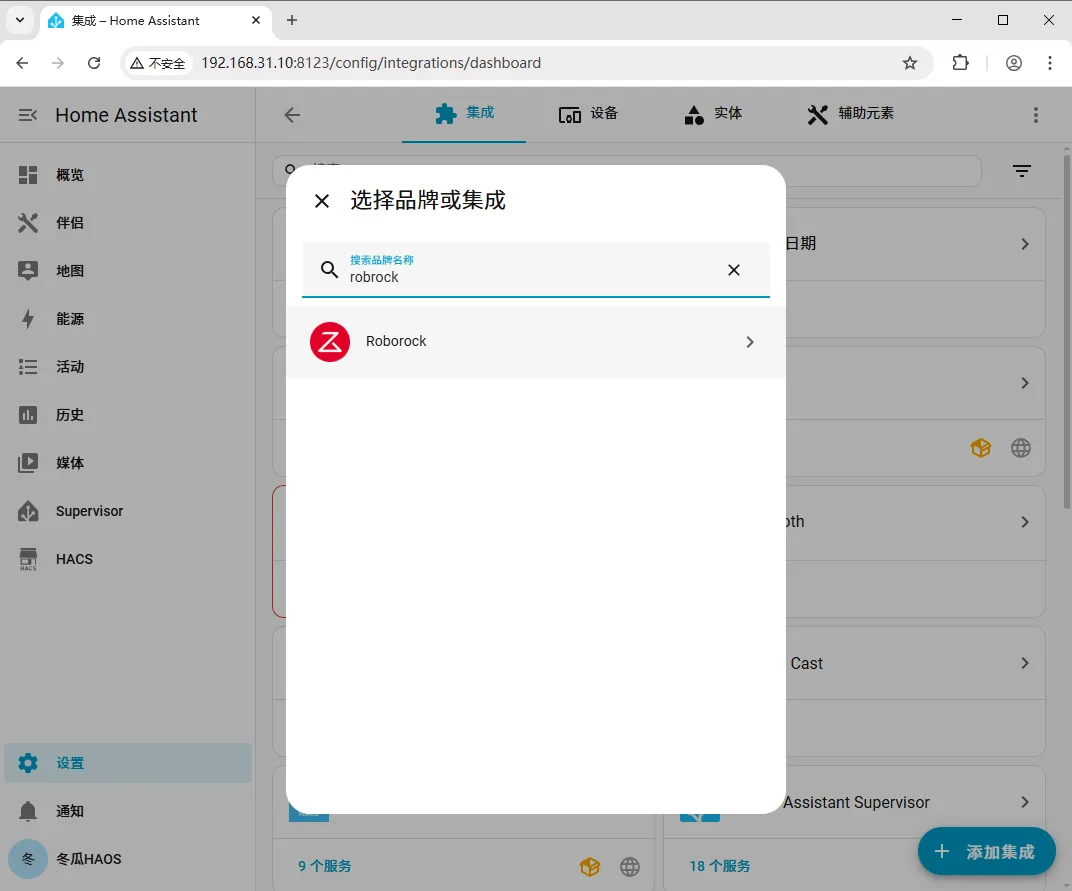
Section titled “Step 1: Add the Roborock integration”Go to Settings > Devices & Services > Integrations > Add Integration, type roborock into the search box, and click the search result to add it.
Step 2: Enter the email address bound to the app
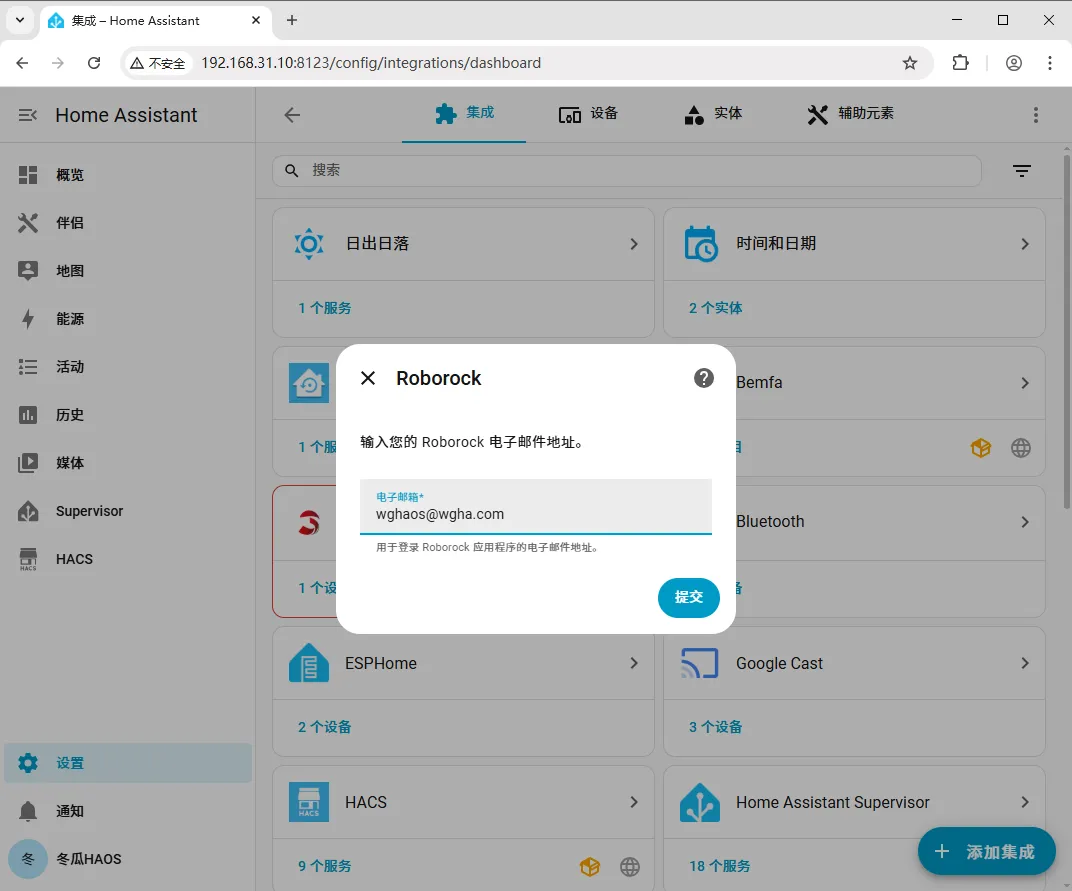
Section titled “Step 2: Enter the email address bound to the app”After binding an email address in the app, enter that email address in the window that appears, then click Submit.
Step 3: Enter the verification code and finish
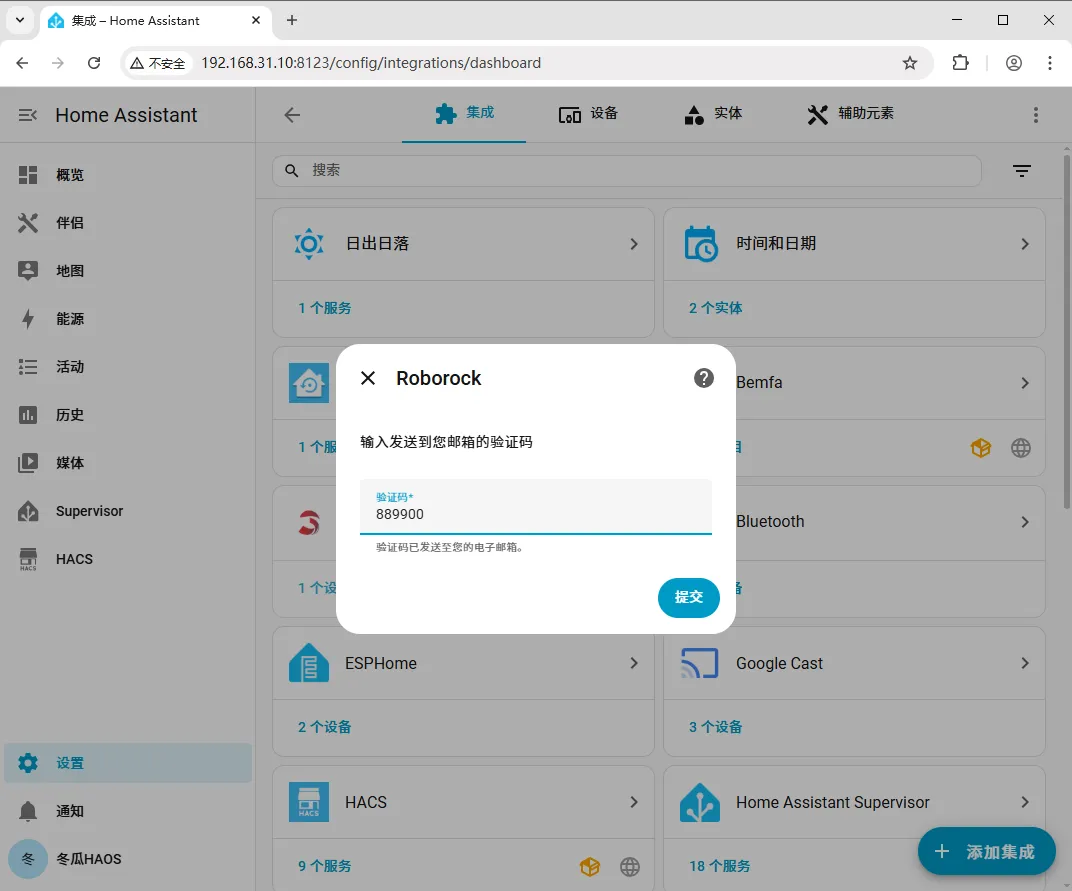
Section titled “Step 3: Enter the verification code and finish”Enter the verification code you received and click Submit, then click Finish to complete the Roborock robot vacuum setup.
| Problem | Solution |
|---|---|
| Can’t find the Roborock integration in search | Try refreshing the browser or restarting Home Assistant once; confirm the search keyword is roborock. |
| Not receiving the verification code | Confirm you entered the email address bound to the Roborock app; check the spam folder, make sure the mailbox can receive mail normally, and retry later. |
| Verification code submission fails | Confirm the code is entered correctly and has not expired; if expired, request a new code and submit again. |
| Signed in but no devices show up | Confirm the robot vacuum has been successfully added in the Roborock app and is online. |
Summary
Section titled “Summary”The core flow for setting up a Roborock robot vacuum is: Settings → Devices & Services → Add Integration → search roborock → enter the email bound to the app → enter the verification code → done. Once complete, you can manage your Roborock robot vacuum in Home Assistant.