

HACS (official) Installation Guide (GitHub Authorization)
HACS (Home Assistant Community Store) is a third-party integration manager. The official version is installed via GitHub device authorization and is intended for users overseas / outside mainland China. Users in mainland China should use the simpler HACS Turbo installation guide (no GitHub required).
Prerequisites
Section titled “Prerequisites”Before you start, make sure:
- Your Home Assistant is up and running, and you can access its dashboard.
- You have a GitHub account (if not, register at https://github.com first — the installation requires it for authorization).
- Your device can reach GitHub (HACS downloads its content through GitHub).
Note: Donggua HAOS ships with HACS built in — you can find it directly under “Devices & Services → Add Integration” with no extra download needed.
Watch the complete flow first
Section titled “Watch the complete flow first”Play this video once to see the full path, then use the screenshots below to check each step while you work.
Done when: GitHub authorization is complete and HACS appears in the Home Assistant sidebar.
could_not_register or repeated registration failures
Section titled “could_not_register or repeated registration failures”If registration fails after you submit the acknowledgments, do not keep retrying. Capture the error state, then work through the checks below.
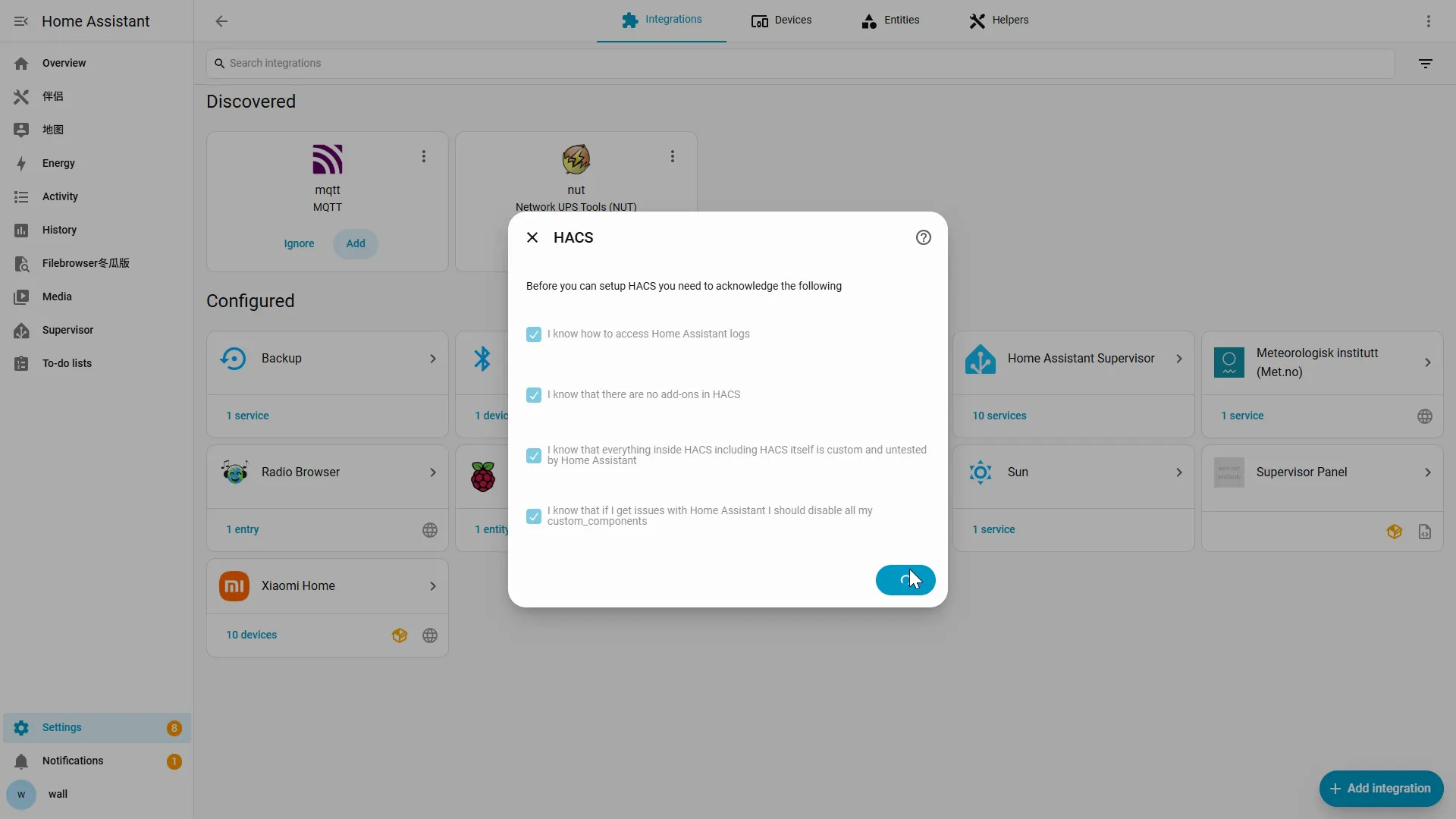
- Fully restart Home Assistant once;
- Confirm that the current network can reach GitHub;
- Add HACS again;
- After three consecutive failures, Donggua HAOS users should switch to HACS Turbo. Other installations must restore GitHub connectivity first.
| Problem | Solution |
|---|---|
| Can’t find HACS in search | Donggua HAOS usually ships with HACS built in; if it doesn’t show up, try clearing the browser cache or hard-refreshing (Ctrl/Cmd + Shift + R), or restart Home Assistant once and search again. |
could_not_register error when adding | Usually a restart or network issue: fully restart Home Assistant and add it again; if it still fails, check whether you can reach GitHub (you may be rate-limited — retry later or use a proxy). |
| Stuck on “Waiting for device activation” | Check whether your network can reach GitHub; make sure the code was entered correctly and hasn’t expired — if it has, close the window and start over. |
| HACS doesn’t appear in the sidebar after GitHub authorization | Refresh the browser page, or restart Home Assistant once. |
| Downloads are slow or failing | Usually a GitHub network issue — try configuring a network proxy or accelerator and retry. Users in mainland China should switch to HACS Turbo. |
When HACS appears in the sidebar, do not stop in the store. Continue to install seenzus MQTT Bridge with HACS.
Source of truth · verified against HACS 2.0.5 · captured 2026-07 These docs are the single source of truth for install / branch content (docs-first): when the upstream (HACS / GitHub authorization) UI changes, update the docs first; when the bridge plugin’s config-flow / quick-pair UI changes, update the docs first, then align the app’s four in-app frames — both stamps bumped together.