

Rules & Automation
Tap Butler — this is where seenzus keeps its “brain”, in four tabs: Memory, Skills, Rules, What I’ve learned. The last two matter most for automation.
What a rule is
Section titled “What a rule is”A rule is a hard boundary you set for the butler — it follows rules to the letter when it acts. The test: would breaking it count as the butler “doing something wrong”? If yes, write it as a rule. If it’s merely “not thoughtful enough,” that’s a preference — leave it to the butler to learn over time.
Creating a rule
Section titled “Creating a rule”Go to Butler → Rules → Add one and write it in the first person, such as “I don’t turn on the bedroom lights at night” or “Don’t turn on the AC below 26 degrees.” Rules come in three kinds — Always follow, Never do, and Reply constraints — and you can switch to the Document view to edit the whole text at once.
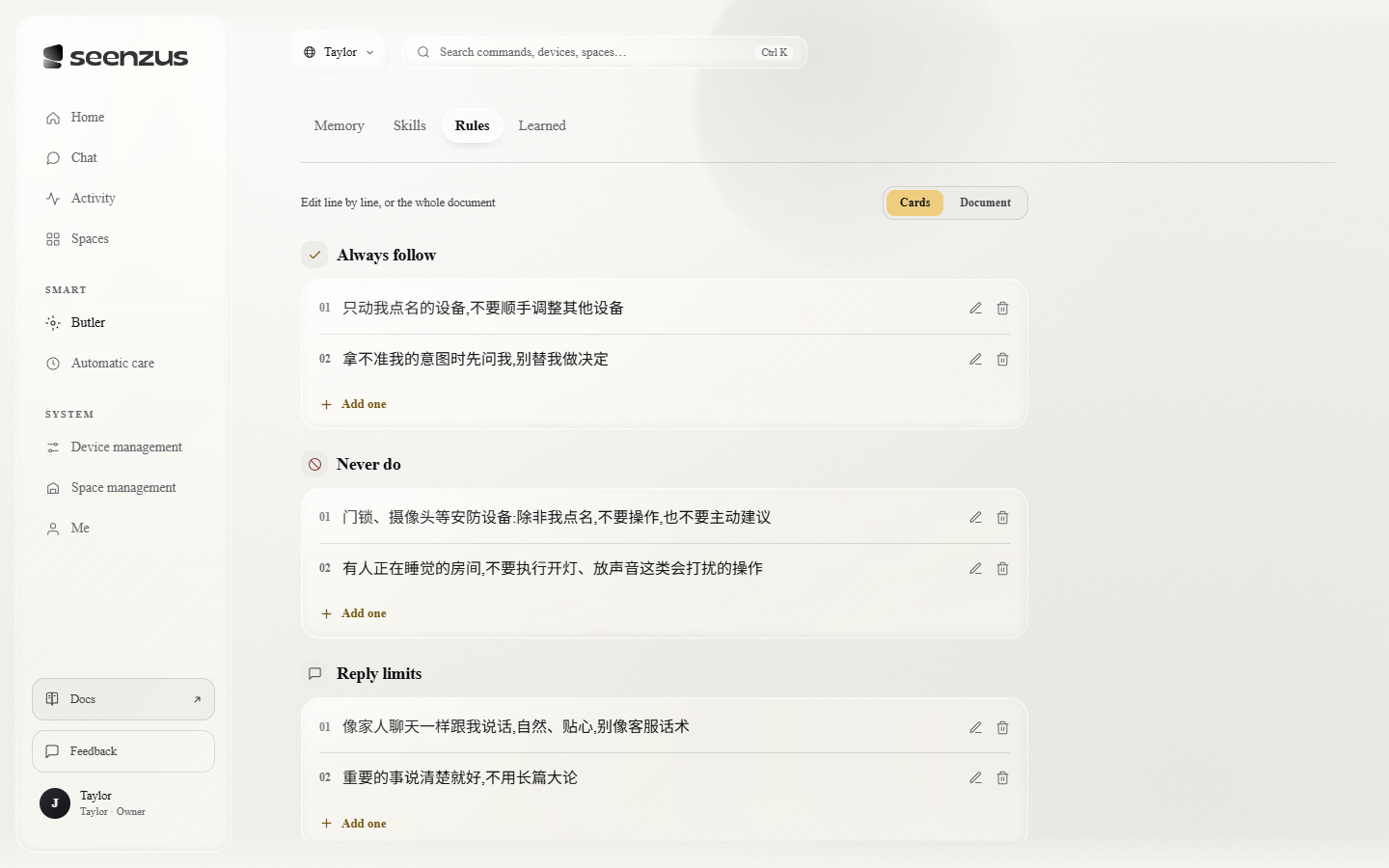 The rules page. Before you’ve written any rules, it acts on sensible defaults.
Enabling / disabling rules
Section titled “Enabling / disabling rules”The What I’ve learned tab holds the patterns seenzus has slowly noticed while keeping an eye on things for you (say, something you tend to do at a certain hour). Each one can be disabled — if it feels wrong, just turn it off. When it isn’t sure about one, it tucks it away on its own and brings it back once it sees you need it again.
Checking whether rules take effect
Section titled “Checking whether rules take effect”Go to Activity and look through the operation history: an operation marked AI-initiated means seenzus did it for you based on a pattern. You can also see what it did and when — enough to judge whether rules and patterns are working the way you expect.
Skills (advanced)
Section titled “Skills (advanced)”In the Skills tab, alongside the built-in skills you can add a skill: give it a name, say when it should be used, then teach it exactly how. This is how you hand the butler a whole class of recurring work.
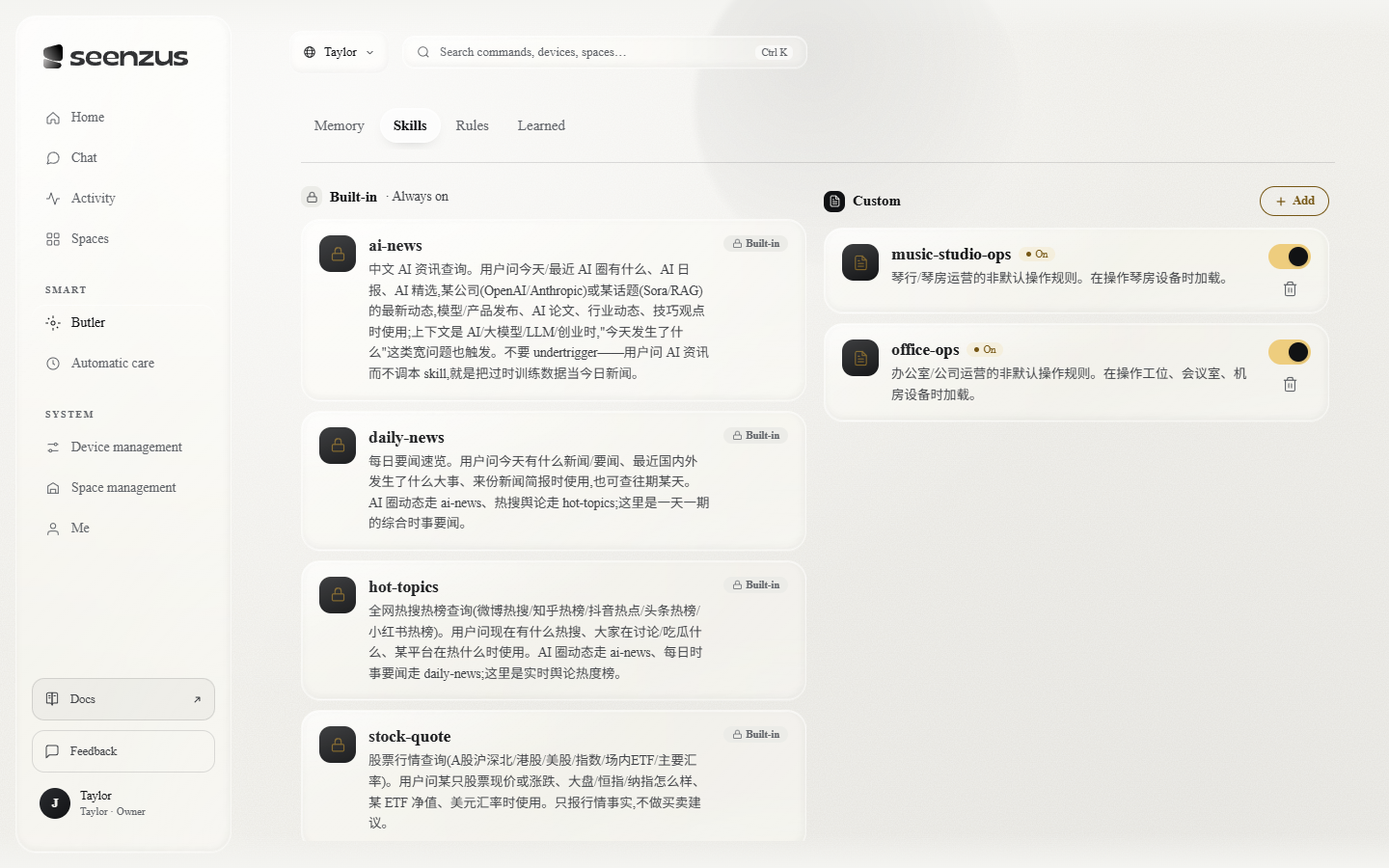 The skills page. Built-in skills can’t be turned off; custom skills are yours to add, remove, enable and disable.