

BULL Device Integration Guide
BULL smart devices can be connected to Home Assistant via the third-party “Bull iot” integration. This guide shows how to install MosHome through HACS, then add the Bull iot integration and use your Bull Smart Home account to bring your BULL smart devices under unified management in Home Assistant.
Prerequisites
Section titled “Prerequisites”Before you start, confirm the following and check the version table below:
- Your Home Assistant is up and running, and you can access its dashboard.
- Your Home Assistant has HACS installed (if not, first read How to use HACS).
- You have a Bull Smart Home app account, with your BULL smart devices already bound in the Bull Smart Home app.
| Name | OS | Core | Bull iot |
|---|---|---|---|
| Version | 17.0 | 2026.2.2 | — |
Tip: Please read How to use HACS before following this guide.
Setup Steps
Section titled “Setup Steps”Step 1: Search for and download MosHome in HACS
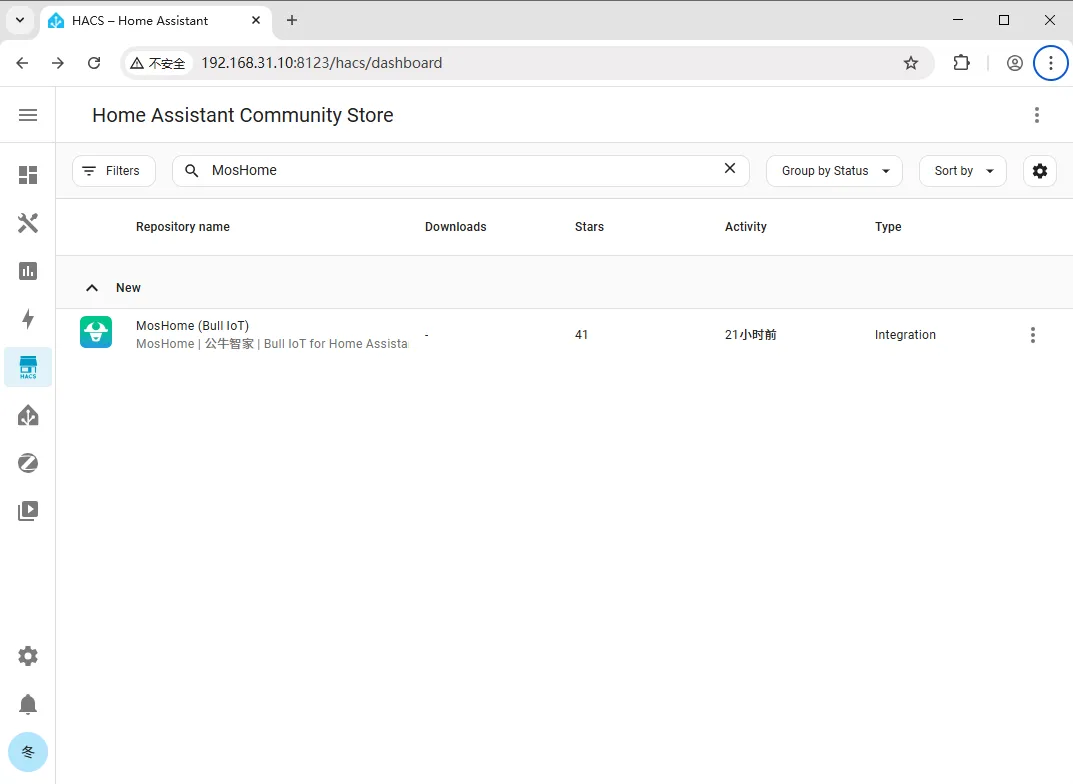
Section titled “Step 1: Search for and download MosHome in HACS”Open HACS, search for MosHome, then download and install it.
Step 2: Restart Home Assistant
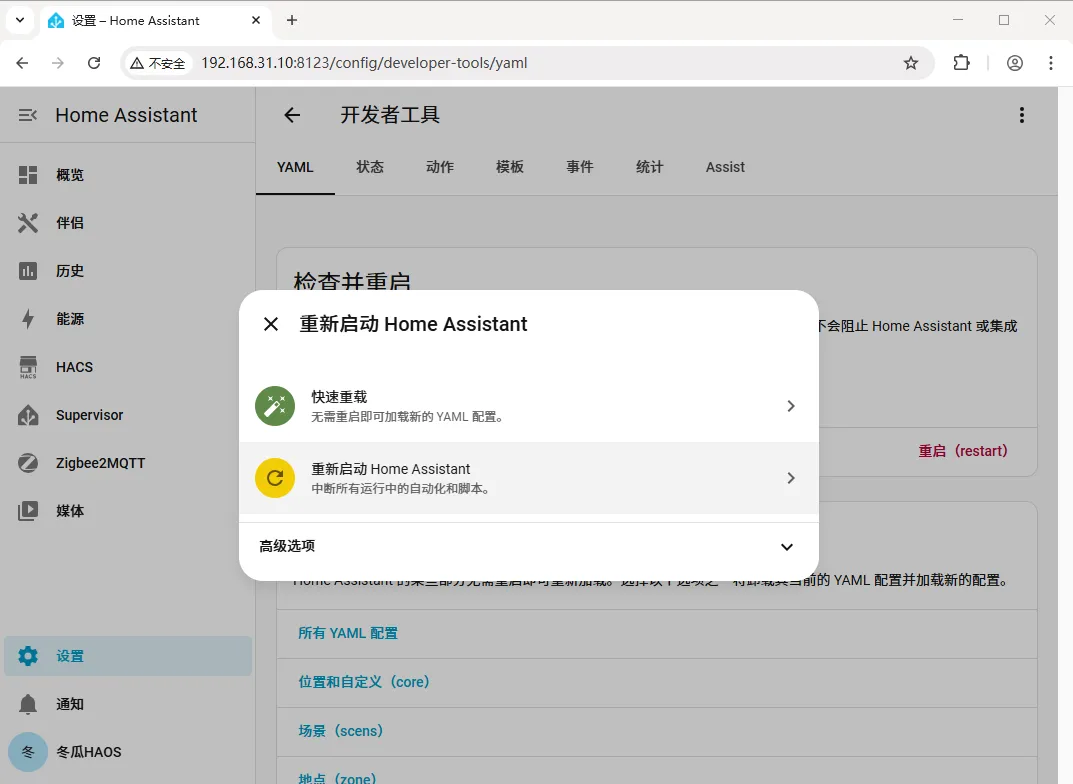
Section titled “Step 2: Restart Home Assistant”Go to Settings > Developer Tools > Restart, and restart Home Assistant so the newly downloaded integration takes effect.
Step 3: Add the Bull iot integration
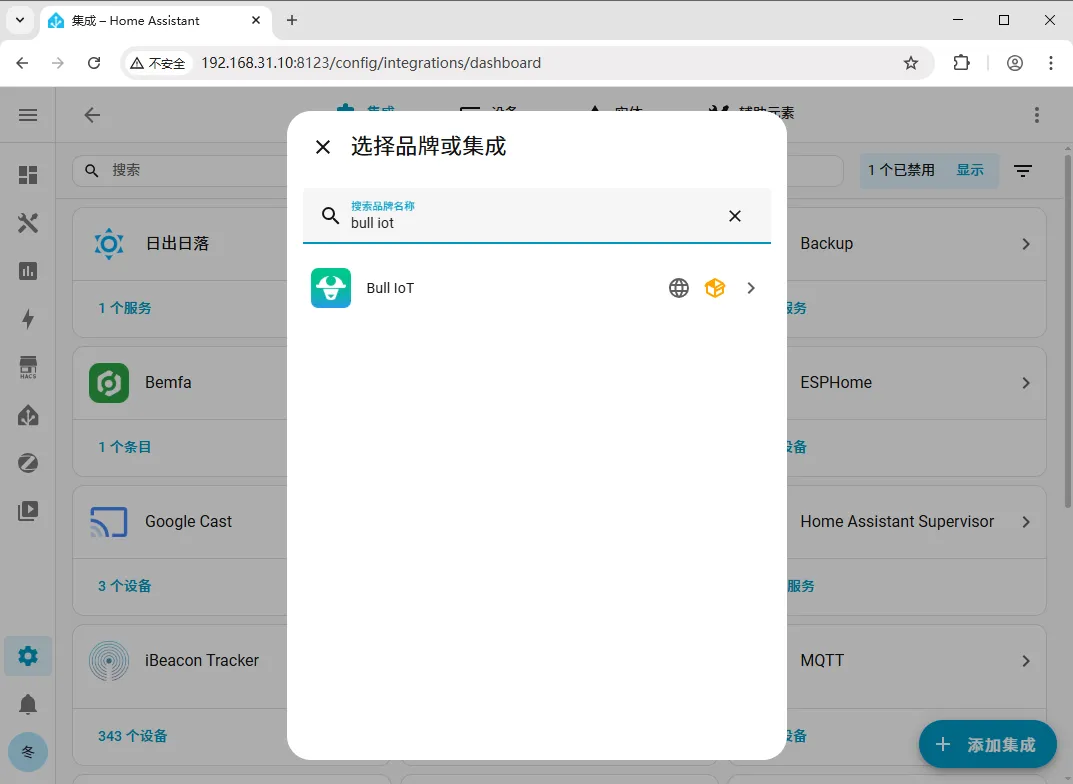
Section titled “Step 3: Add the Bull iot integration”After the restart, go to Settings > Devices & Services > Integrations > Add Integration, type bull iot in the search box, and click the search result to add it.
Step 4: Log in with your Bull Smart Home account
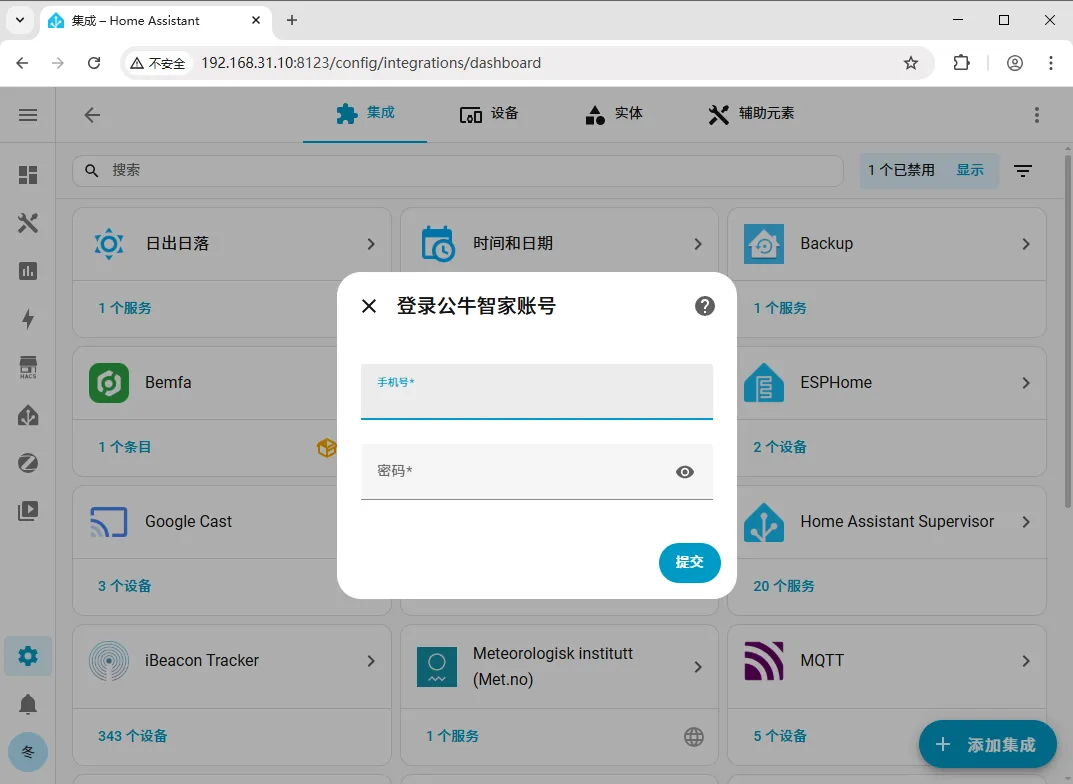
Section titled “Step 4: Log in with your Bull Smart Home account”In the login form that appears, enter your Bull Smart Home account and password, then click Submit to complete the BULL device setup.
| Problem | Solution |
|---|---|
| Can’t find MosHome in HACS | Make sure HACS is properly installed and opens normally; try refreshing the HACS list or restarting Home Assistant once, then search again. |
| Can’t find the Bull iot integration after downloading MosHome | You must restart Home Assistant as in Step 2 before the integration appears in the “Add Integration” list. |
| ”Wrong account or password” on login | Double-check your Bull Smart Home app account and password, and make sure you’re using the account for the Bull Smart Home app (not some other app). |
| Login succeeds but no devices show up | Make sure those devices are successfully bound and online in the Bull Smart Home app. |
Summary
Section titled “Summary”The core BULL setup flow is: download MosHome from HACS → restart Home Assistant → add the Bull iot integration → log in with your Bull Smart Home account and password. Once done, you can manage your BULL smart devices in Home Assistant.